
 Vod Capture
 — Chrome Video Downloader Extension
Your video page. Your next download.
Open a supported video page in desktop Chrome. Let the extension find the video address and start the download.
 rednote
 Douyin
 Kuaishou
For Chrome on a computer. On mobile, use the website without installing anything.
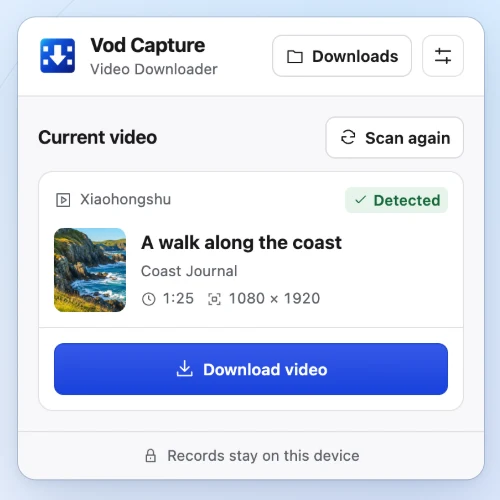
From playback to a saved video
- 01
Install and pin
Install Vod Capture from the Chrome Web Store and pin it to your toolbar.
- 02
Open and play a video
Open a supported video page. Some videos need to be played before their address can be detected.
- 03
Detect and download
Open the extension, detect the video, and start the download. Check Chrome’s download list for the saved file.
Find the video on the page
Detects video addresses used by players on supported platforms. Availability depends on the platform and link expiry.
Find your local download records
Find downloads, check their status, and revisit the original video page. Available features depend on the installed store version.
Choose how you want to download
| Category | Web Version (Free Online) | Vod Capture |
|---|---|---|
| Installation | None | Desktop Chrome extension required |
| Download method | Share page parsing and media transfer | Page detection and platform media requests |
| Availability | Depends on public platform pages | Depends on page and media address access |
| Use case | Any device, any browser | Chrome browser, desktop |
| Library | No download library | Local library from version 0.2.1 |
| Cost | Free | Free |
Try downloading in desktop Chrome
The extension can detect media requests while you open the post and play the video. On your computer:
- Install the Chrome extension, then refresh the rednote post.
- Open the original post and play the video. Complete any sign-in or verification on rednote itself.
- Click the extension icon in your toolbar, detect the video and start the download. Check Chrome’s download list for the result.
Chrome extensions require a computer. If you are on mobile, send the original link to your computer. The post must be accessible and playable; downloads are not guaranteed for every video.
Extension FAQ
What is the difference between the extension and the web version?
The website parses share pages and transfers media through its server. The extension detects video addresses in desktop Chrome. Version 0.2.1 adds local records; check the store for the available version.
Do I still need the web version after installing the extension?
Choose what fits your device. On mobile, use the website without installing anything. On desktop Chrome, the extension detects videos directly on supported pages. You can still use the website after installing it.
Does the extension read my personal information?
The extension reads video addresses and available metadata on supported platforms for downloads and local records. Downloads connect to platform services. Version 0.2.1 contains no remote usage analytics scripts and does not upload library records to our website.
Which platforms does the extension support?
Currently supports Douyin, Kuaishou, and rednote — same as the web version.
Is the extension free?
Yes, the extension is completely free now and for the foreseeable future.
Keep downloading close to the video
Detect and download videos from supported pages in desktop Chrome. On mobile, use the website without installing an extension.
Install from Chrome Web Store